Sage Intacct Budgeting Software

​​​​​​​
Many Sage Intacct customers rely on exporting data to Excel, updating budgets manually, and using import processes to move budget information back into the system. While this approach may work for basic budgeting needs, it often becomes time-consuming and difficult to manage as the number of departments, contributors, entities, and forecasting requirements grows.

​​​​Stop managing budgets in spreadsheets and manually importing them into Sage Intacct. Dynamic Budgets integrates with Sage Intacct to help organizations replace disconnected spreadsheets with a centralized budgeting, forecasting, and reporting platform. Finance teams gain greater visibility and control while department managers can easily participate in the budgeting process without relying on complex spreadsheets.

Common Budgeting Challenges for Sage Intacct users

  • Spreadsheet-based budgeting
  • Manual budget imports
  • Time-consuming budget uploads
  • Exporting data to Excel for planning
  • Version control issues
  • Department budget collection
  • Forecasting limitations
  • Multiple budget contributors
  • Multi-entity planning
  • Scenario modeling
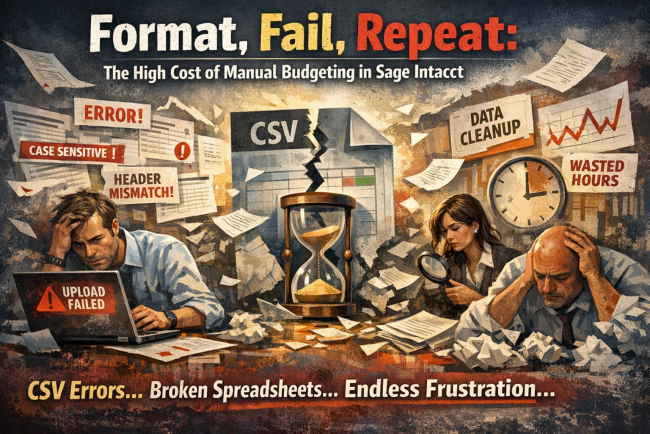
​​​​​​​As planning requirements become more complex, spreadsheets can slow down budgeting processes and make financial reporting more challenging.
​​​​​​​
fomat-fail-repeat

Why Sage Intacct Users Choose Dynamic Budgets


Eliminate Manual Spreadsheet Imports
Many organizations using Sage Intacct build budgets in Excel and then spend valuable time importing data back into their ERP system. Dynamic Budgets eliminates the need for manual spreadsheet imports by providing a centralized budgeting and forecasting solution that integrates directly with Sage Intacct, helping reduce administrative effort and improve planning efficiency.

User-Friendly for Finance and Department Managers
Dynamic Budgets simplifies budgeting and forecasting for both finance professionals and budget contributors. Department leaders can participate in planning without requiring advanced spreadsheet knowledge.

Faster Time-to-Value and Quick ROI
Unlike many planning solutions that require lengthy implementations, Dynamic Budgets helps organizations modernize budgeting quickly and begin delivering measurable value sooner.

Purpose-Built for Organizations That Have Outgrown Excel
Many Sage Intacct users start with Excel because it is familiar and flexible. Over time, budgeting often evolves into dozens of spreadsheets, manual imports, multiple contributors, and lengthy consolidation processes. Dynamic Budgets was designed specifically to solve these challenges by providing a centralized platform for budgeting, forecasting, reporting, and collaboration.​​​​​​​

Driver-Based Budgeting and Forecasting
Improve planning accuracy by connecting budgets to operational and financial drivers such as revenue, staffing, memberships, occupancy, programs, projects, or business activity.

Integrates with Sage Intacct
Leverage trusted financial information from Sage Intacct to streamline budgeting, forecasting, reporting, and financial planning while maintaining a single source of truth.

​​​​​


Sage Intacct Budgeting and Forecasting Use Cases

Streamline Budget Management for Sage Intacct

​​​​​​​​​​​​​​
Reduce the complexity of managing budgets in spreadsheets and importing them back into Sage Intacct. Dynamic Budgets helps organizations centralize planning, improve collaboration, and maintain better visibility throughout the budgeting and forecasting process.
​​​​​​

Department Budgeting


Streamline budget collection across departments while maintaining centralized reporting and financial oversight.


Driver-Based Forecasting


Create forecasts using the operational drivers that impact your organization rather than relying solely on historical financial data.

​​​​​​​​​​

Multi-Entity Budgeting


Manage planning across multiple entities, departments, business units, programs, or locations while maintaining consolidated reporting.
​​​​​​​​

Budget-to-Actual Reporting

​​​​​​​​​​​​​​
Compare actual Sage Intacct results against budgeted figures to improve accountability, visibility, and financial performance.

​​​​​​

Rolling Forecasts and Scenario Planning


​​​​​​​Continuously update forecasts and evaluate multiple planning scenarios to support better business decisions.
​​​​​​​​​​​​​​​​​​


​​​​​​​FAQ


Why use budgeting software instead of importing budgets from Excel into Sage Intacct?
While Excel imports can work for simple budgeting needs, organizations often face challenges with version control, multiple contributors, manual updates, and ongoing forecast revisions. Dynamic Budgets provides a centralized budgeting and forecasting platform that reduces manual effort, improves collaboration, and helps organizations manage planning more efficiently.

What budgeting software works with Sage Intacct?
Dynamic Budgets integrates with Sage Intacct to provide centralized budgeting, forecasting, reporting, and financial planning capabilities.

Does Dynamic Budgets integrate with Sage Intacct?
Yes. Dynamic Budgets integrates with Sage Intacct, helping organizations create budgets and forecasts using trusted financial data from their ERP system.

Why do Sage Intacct users still budget in Excel?
Many organizations begin budgeting in Excel because it is familiar. As budgeting processes become more complex, spreadsheets often create challenges with collaboration, version control, and reporting.

How can Sage Intacct users replace Excel budgeting?
Organizations can replace spreadsheets with a centralized budgeting and forecasting platform that improves collaboration, visibility, and financial planning.

What is driver-based budgeting?
Driver-based budgeting uses operational and financial metrics to generate more accurate budgets and forecasts. Examples include labor hours, membership growth, occupancy rates, patient visits, project revenue, and sales activity.

Can Dynamic Budgets support multi-entity organizations?
Yes. Dynamic Budgets supports budgeting, forecasting, and reporting across multiple entities, business units, departments, and locations.

Can department managers participate in budgeting?
Yes. Department leaders can contribute budget information through a user-friendly process while Finance maintains governance and oversight.

Does Dynamic Budgets support rolling forecasts?
Yes. Organizations can update forecasts throughout the year using the latest business information and assumptions.

How does Dynamic Budgets improve budgeting accuracy?
Dynamic Budgets reduces spreadsheet-related errors, standardizes planning assumptions, improves collaboration, and centralizes budgeting processes.

​​​​​​​Why choose Dynamic Budgets for Sage Intacct?
Organizations choose Dynamic Budgets because it combines Sage Intacct integration, ease of use, driver-based forecasting, fast implementation, and a purpose-built approach to replacing spreadsheet budgeting.

Ready to Move Beyond Spreadsheet-Based Budgeting?

If you're using Sage Intacct and still relying on Excel for budgeting, forecasting, and financial planning, it's time for a better approach.
Dynamic Budgets helps organizations replace disconnected spreadsheets with a centralized budgeting, forecasting, and reporting platform built to work alongside Sage Intacct. Improve collaboration across departments, increase forecasting accuracy, streamline budget collection, and gain greater visibility into your financial future.

Whether you're managing multiple departments, locations, entities, programs, or budget contributors, Dynamic Budgets provides the tools needed to simplify planning and support more informed business decisions.

Schedule a Personalized Demo and see how Dynamic Budgets can transform budgeting and forecasting for your Sage Intacct organization.